
 Running Motorhead
 Motorpedia
 Downloads
 Online Racing
 Highscores
Home > Running Motorhead > Modern Hardware
Too much horsepower, not enough fairy dust
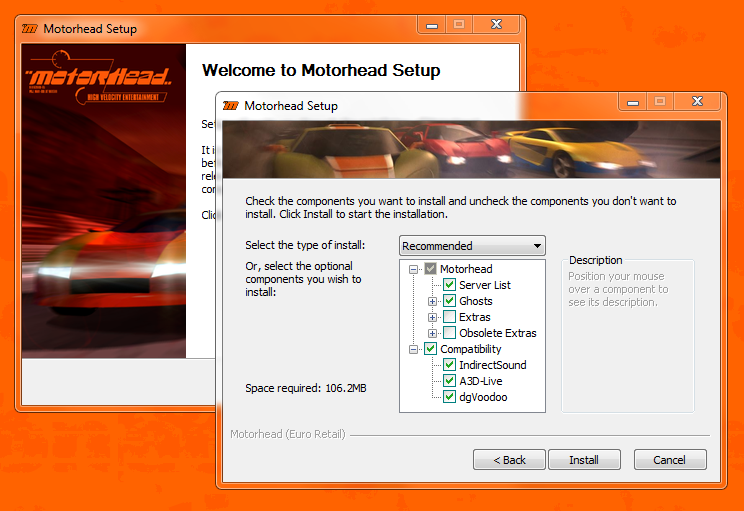
Let's not kid ourselves. This is a 25 year old game, and it needs a bit of TLC to run on modern PCs. It's not that they don't have the horsepower, it's just that Windows has moved on a lot since Windows 95/98 and a lot of what Motorhead expects to find is no longer there. Gone is the support for running 16-bit executables. DirectSound and DirectInput have been completely replaced by XAudio2 and XInput. Direct3D 5.0 support has been slowly phased out by drivers. Oh, and did we mention the kernel is different? If you think about it, it's amazing that Windows can even run old games at all.
Over the years we've had to deal with plenty of compatibility issues and have rolled all the fixes into a modern installer which addresses most, if not all, of the issues you'll read about here. Of course, we strongly suggest you stick with the modern installer, but, just for fun, we thought it's worth documenting the hurdles you'd normally have to overcome below:
The game is on a CD
This is the first hurdle you'll encounter, and it's one that's surfaced only recently. With modern PCs no longer having an optical disc drive, how do you install a game from a CD?
Our best solution so far:
- Use an external optical disc drive
Sure, your PC or laptop may not have an internal optical drive anymore, but there is nothing stopping you from connecting an external (USB) one. - Dump a cue/bin disc "image"
If you don't like the hassle of having to connect the optical drive every time you want to play, use a tool like ImgBurn to dump the Motorhead CD as a disc "image" (cue/bin will retain the soundtrack, iso will not). You'll have to mount the "image" with something like Daemon Tools Lite.
The installer won't start
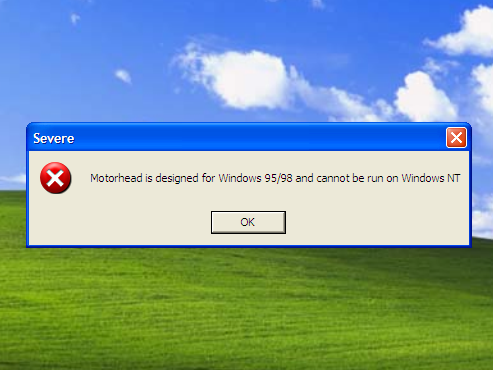
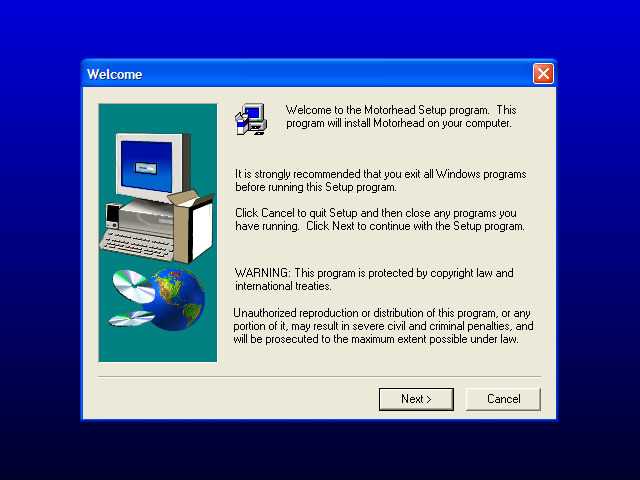
Motorhead's installer is a 16-bit executable, expecting to find itself running under Windows 95/98. So it will either complain about not being designed to run on Windows NT, or it will outright refuse to start.
Our best solution so far:
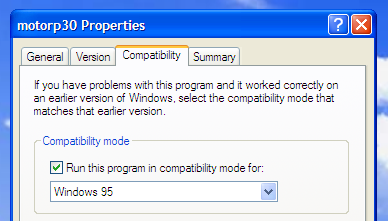
- On 32-bit operating systems like Windows XP, it's pretty easy to fix this by enabling Windows 95 compatibility mode on the setup.exe (usually in the Motor\Disk1 folder of your CD) and running setup again. Remember to not install DirectX 5.0/6.0 when asked.
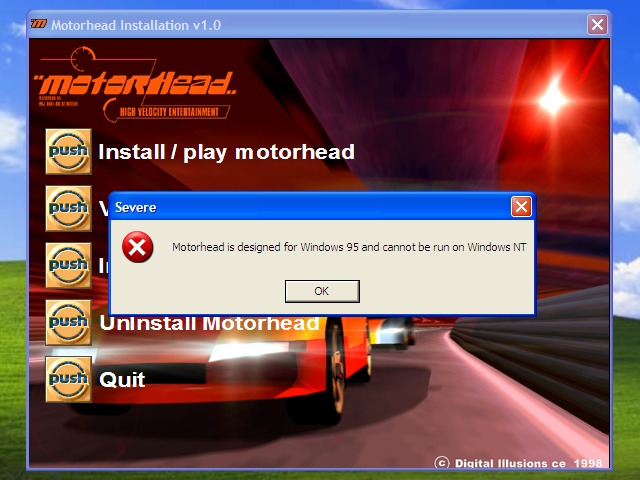
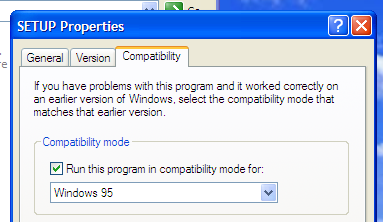
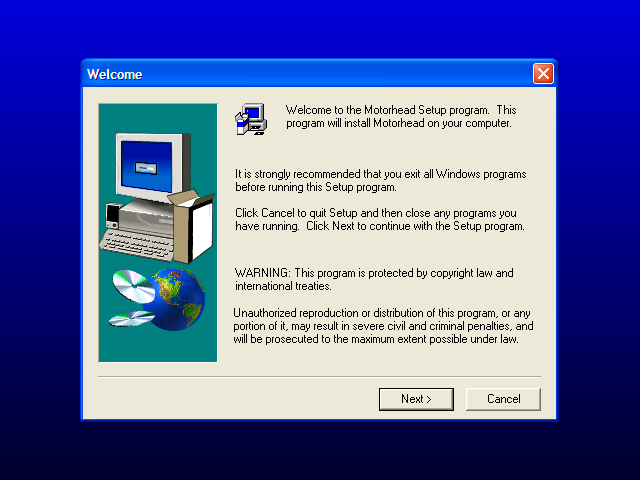
- On 64-bit versions of Windows (e.g Vista, 7, 10, etc), the installer might not start at all. This is because, although Motorhead is a 32-bit game, the installer it came with was only a 16-bit executable, and these are no longer supported on 64-bit versions of Windows (which are now the only versions on Windows). An updated Windows 7 x64 installation will actually try to act smart and hotwire a 32-bit InstallShield setup.exe instead, getting you back to the Windows NT incompatibility error message. Setting compatibility mode on setup.exe won't help this time as it's not being applied to Microsoft hotwired 32-bit setup.exe. All is not lost however! You will need to copy the whole Disk1 folder over to your desktop and replace the 16-bit setup.exe with the one from InstallShield Launcher 5. It's pretty much what Windows tried to do. But now you can set compatibility mode on this 32-bit setup.exe and run it. Just remember not to install DirectX 5.0/6.0 when asked.
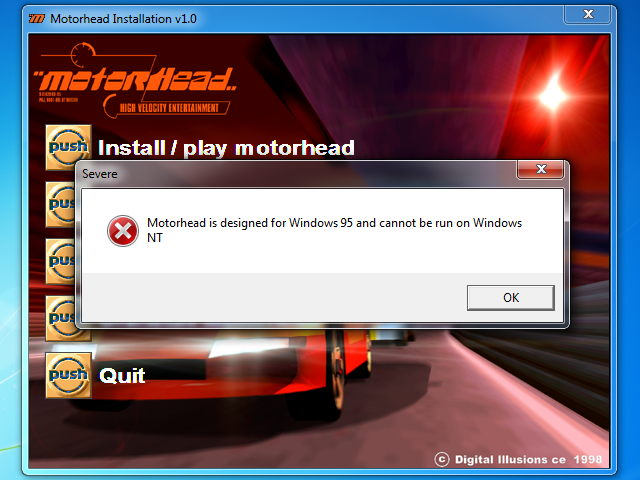
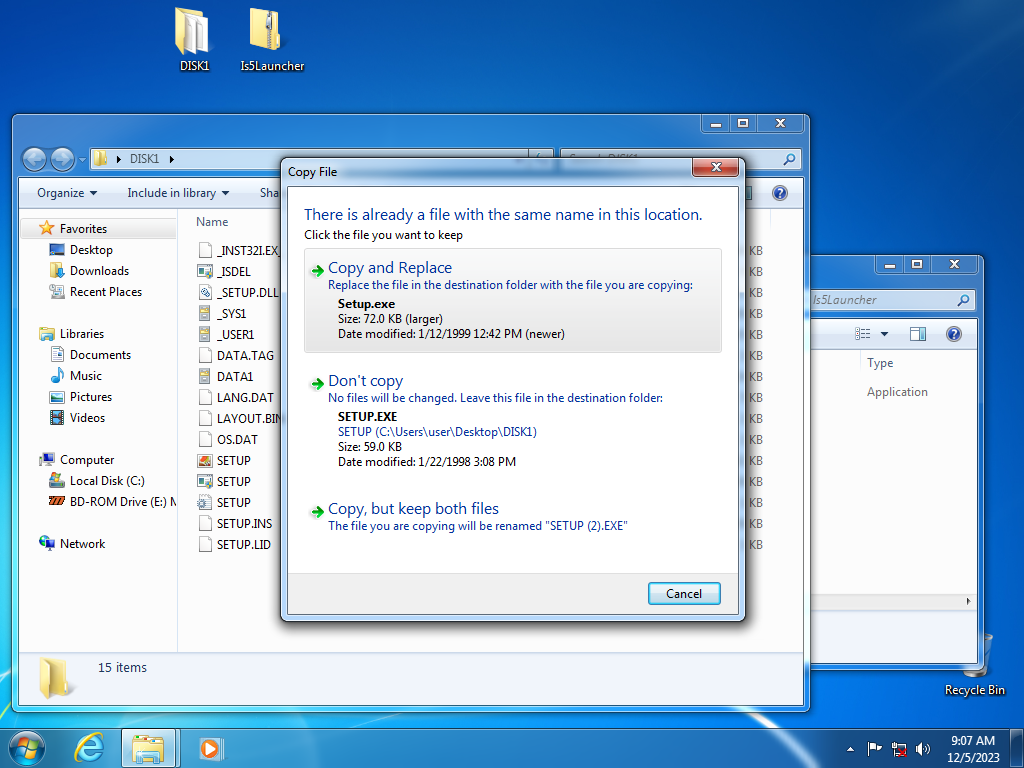
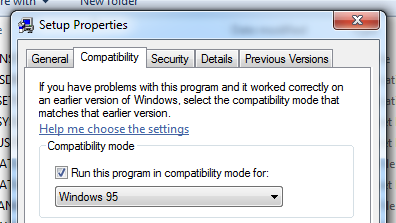
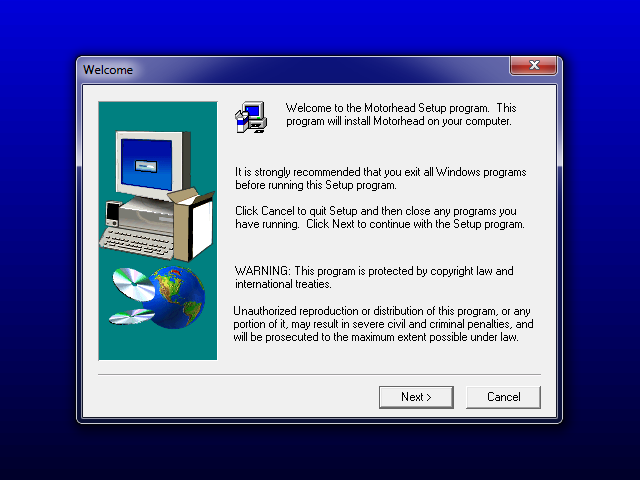
The Patch 3.0 installer will complain about running on Windows NT
Patch 3.0 suffers from a very similar problem as the game's installer.
Our best solution so far:
- The installer for patch 3.0 is a 32-bit executable, so getting it to run only requires you to find the patch file, and open its properties, checking the box to "Run this program in compatibility mode" and select Windows 95 from the dropdown.
- Run the patch.
The menu looks weird
Regardless of your monitor's native resolution or what resolution you've set the game to run at, Motorhead uses a 640x400 resolution in the menu. Unfortunately, this resolution is not supported in Windows XP or later. Windows will try to handle it as best it can, falling back to 640x480, with varying degrees of success. A very common glitch is the color palette being all messed up after a while.
Our best solution so far:
- Use dgVoodoo to wrap DirectDraw to DirectX 10/11.
The audio cuts out
You may experience audio completely stopping or the CD track not looping during a race. This is because DirectSound emulation is poorly implemented in Windows Vista onwards.
Our best solution so far:
- IndirectSound
- A3D-Live
This is an effort to translate Aureal3D API calls into DirectSound3D, making it available to non-Aureal cards. A3D-Live works pretty well in Motorhead, although it doesn't match the real hardware just yet.
Your highscores/ghosts are no longer in the game folder
You will notice that your highscores and ghosts are not being saved in Motorhead's "HiScores" and "Demos" folders like you would expect. This is because nowadays programs are not normally allowed to write anything into the Program Files folder. Motorhead, being an older game from a time when this was not considered a sin, is trying to save to an unauthorized location.
Our best solution so far:
- Leave it be. Whenever the game tries to write something in its folder, Windows redirects this to a user-writable location, namely
%LocalAppData%\VirtualStore
. %LocalAppData% is normally under C:\Users\{username}\AppData\Local but if you type %LocalAppData% in Windows/File Explorer it will happily navigate to the right folder. You will find a new tree in VirtualStore with Program Files (x86) matching the one where you installed the game, but this one only has files the game has written. This is the folder you should use to drop ghosts and server bookmarks. - Alternatively, make Motorhead's folder writable.
The keyboard input is weird
You may notice that sometimes your keystrokes get repeated, for example when you hold down shift or if you move up or down the fields.
Our best solution so far:
- We have fixed this issue in community patch 3.5.
The framerate is wonky
Don't be surprised to see Motorhead pumping out thousands of frames per second on modern hardware. This is good, right? Wrong! The game's physics engine is tied to framerate, so the handling will feel weird (jumpy, random slowdowns) and the game may even crash.
Our best solution so far:
- The sweet-spot for competitive play is around 250fps. On modern hardware, you will need to limit your framerate using your graphics card's driver settings.